
Checkers Online
CC GamesBoard
4.615.00K Reviews
- Version
- 3.17.0
- Installs
- 100.00M
- Age Rating
- Everyone
Screenshots
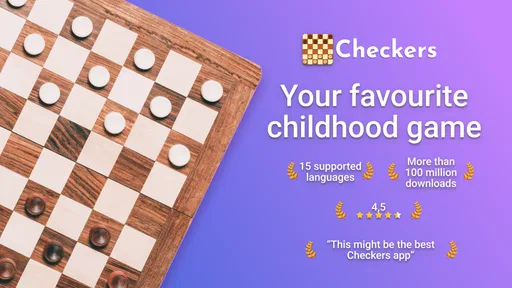
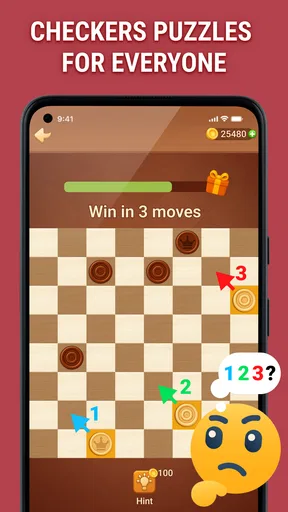
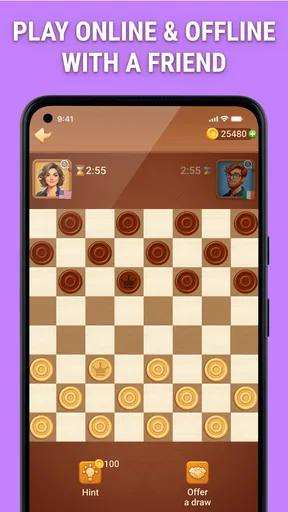
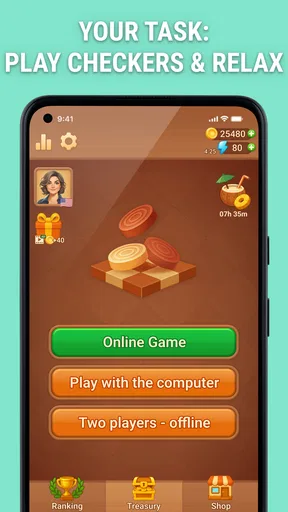
Play Longpour


Our Review of Checkers Online
 Analysis by Appyee
I tend to value a checkers app most when it lets me get into a match without turning a simple board game into a long setup routine. Checkers Online aims for that easy entry point, while still giving players ways to practise or meet an opponent. It is a free board game from CC Games, and its appeal is easy to understand: the familiar rules make it approachable, but each move still asks you to think ahead.
Where the game fits today
The game has been available since January 5, 2015, and its current version is 3.17.0. That gives it a long-running presence, but a version number by itself does not tell me which parts changed or how often the game is updated. I would treat the version as a useful compatibility detail, not proof of a particular new feature. The age rating is Everyone, so it can suit a family game session as well as solo practice.
Its reach is substantial: it has over 100 million installs, an average rating of 4.6 from around 1.5 million ratings, and about 15,000 written reviews. Those figures suggest that many people have tried it, but they do not guarantee that every opponent, match, or device experience will feel the same. I would use the broad popularity as a reason to consider it, then judge the actual play for myself.
A familiar board with a digital convenience
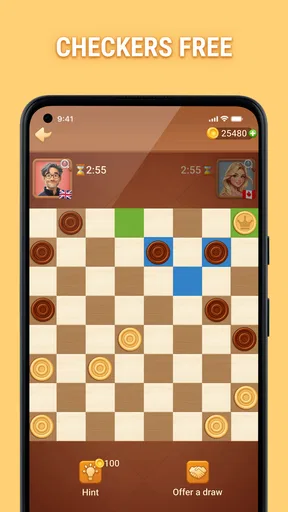
Checkers works well on a phone because the board is easy to read and a match does not demand a large screen. The digital format can also make a move clearer: a highlight for legal options, when available, helps a new player understand what can happen next without needing someone beside them to explain every turn. That is a useful learning aid, though I would still recommend checking the rules you and your opponent expect to use before a serious game.
The game is free to install, with optional in-app purchases listed from $0.99 to $49.99 per item. I see that as a reason to check purchase prompts carefully rather than assume every extra is necessary. If you only want a straightforward board game, start with the free experience and decide later whether any optional item actually improves your routine.
What established players should expect
For someone who already plays checkers regularly, the main question is not whether the rules feel familiar but whether the available match options fit their habits. The described mix of solo play and multiplayer can cover practice and social games, while the simple premise keeps the focus on the board. The developer is CC Games, and the game’s continued availability gives existing players a familiar place to return to; still, I would not assume that a newer version automatically changes strategy, matchmaking, or the way opponents behave.
One practical habit helps online play feel less rushed: before moving, scan the whole board for forced captures and exposed pieces, not just the square you want to occupy. Checkers can punish a move that looks active but leaves a piece vulnerable on the next turn. For learning, I would pause after a mistake and identify what the opponent’s reply made possible. That turns a quick loss into useful practice rather than simply starting another match.
Getting Started with Checkers Online
First off, let’s talk about how easy it is to get started. The app is available for both Android and iOS, and downloading it is a breeze. Once you’ve got it installed, you’re greeted with a clean and intuitive interface. I appreciate how the developers have kept things straightforward and user-friendly, ensuring that even those new to digital board games will feel right at home.
The initial setup doesn’t require much. You can jump into a game pretty quickly. Whether you want to challenge your friends or take on random opponents from across the globe, Checkers Online has got you covered. It’s like having a global community of board game enthusiasts at your fingertips.
Features That Stand Out
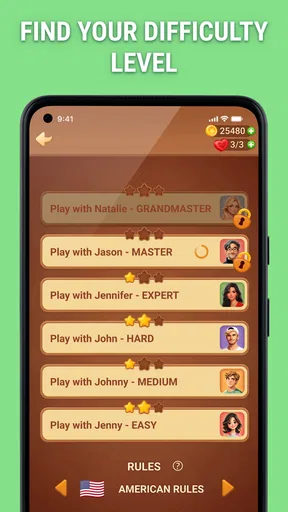
One of the coolest things about Checkers Online is its variety of game modes. You can play against AI at different difficulty levels, which is perfect for honing your skills. But the real fun begins when you compete against other players. The app supports both local and online multiplayer modes, so whether you’re hanging out on the couch or across continents, you’re all set.
Another feature I found incredibly useful is the in-game chat. It adds a nice social element, letting you banter or strategize with your opponent. Just remember, keep it friendly!
The app also scores extra points for its customization options. You can choose different board themes and piece designs, giving the game a fresh look every time you play. It’s these small touches that make the gaming experience more personal and engaging.
The Gameplay Experience
Now, onto the gameplay itself. If you’ve played checkers before, you’ll feel right at home. The rules are standard, but the digital format adds a few neat elements. For example, the app highlights possible moves, which is super handy, especially for beginners. It’s like having a personal checkers coach guiding you through each game.
The animations are smooth, and I didn’t experience any lag, even in online matches. The graphics are crisp and clean, making it easy to focus on the game without unnecessary distractions. Plus, the app runs well on most devices, so you don’t need the latest smartphone to enjoy it.
Playing in real life, not just on the board
A realistic use is a short break when I have a few minutes free: I can choose a solo match rather than arrange a time with someone else, then return to a game with a friend when we are both available. For a family visit, local play is the more natural choice because the conversation stays in the room; online play is better when distance makes meeting impractical. I would not treat an online match as a substitute for every face-to-face game, since the social feel is different even when the board rules are the same.
For a beginner, I would use the move highlights as a prompt, not as a strategy guide. Before accepting a suggested legal move, ask whether it gives up a piece or opens a route for the opponent. For an experienced player, that extra check can keep the interface from encouraging an automatic move. A small habit like this makes the digital board useful for learning without pretending that it can make decisions for you.
Choosing between solo, local, and online play
The best mode depends on what I want from a session. Solo play is the practical option when I want repetition without coordinating with anyone. Local multiplayer suits two people sharing a device and wanting a quick, low-pressure contest. Online matches bring the convenience of finding an opponent beyond the room, but they also depend on both players being available and engaged. If I am looking for a deep campaign, a story, or a broad collection of board games, this focused checkers experience is not the right alternative; a larger board-game app would make more sense.
There is also a trade-off between personal touches and strategic value. Board and piece designs can make repeated sessions feel less visually stale, but they do not change the decisions that make checkers interesting. I would choose a clear, high-contrast design when playing on a small screen, especially if I expect to spend time studying the board. Appearance matters less than being able to distinguish pieces quickly and avoid misreading a position.
Small habits that make matches better
If I am playing casually, I try not to start an online game while I am likely to be interrupted. Checkers rewards attention across the full board, and a distracted turn can spoil a match for both players. When I only have a moment, solo practice is a safer fit. If I am playing with a friend, agreeing on the rules before the first move avoids an awkward pause if our usual ways of playing differ.
Chat can make an online match warmer, but I would keep it optional in spirit: the board is still the main event. A brief friendly message can add personality, while constant conversation can distract from calculating a sequence. If I am teaching someone new, I would explain why a move is legal or risky rather than simply telling them what to play. That makes the game more enjoyable and helps them build confidence for the next match.
What to watch as a returning player
If you already have the game installed, the current version gives you a concrete point to compare against what is on your device. I would check the version shown in the app store before troubleshooting a difference in appearance or behaviour, then install the latest compatible release if appropriate. The minimum operating-system requirement is Android 7.0; compatibility still depends on the device and its software, so checking the store page on the phone you plan to use is the sensible final step.
For anyone considering a purchase, I would first spend time with the free game and identify a specific reason to pay. Optional purchases can be easy to overlook when a game is familiar, but a cosmetic preference is not the same as a need. I would also keep an eye on whether the available modes fit the way I actually play: if I mainly want offline sessions with someone beside me, that matters more than online features I rarely use.
When I would choose something else
I would skip this one if I wanted a richer competitive environment with detailed learning tools, or if my priority were a different checkers variant rather than a familiar, accessible board game. It is also not ideal for someone who dislikes playing on a touchscreen; a physical board gives a more tactile experience and makes it easier for two people to sit together without sharing a phone. And if online interaction is not appealing, the solo and local options may still be useful, but the game’s broader social appeal will matter less to you.
Compared with a basic checkers app that only offers a board against the device, this game’s stated mix of AI, local play, and online opponents gives it more ways to fit into a day. Compared with a general board-game collection, however, it stays focused rather than offering variety across several games. That is a strength for someone who wants checkers quickly and a limitation for anyone who gets bored without switching between different kinds of play.
The Gameplay Experience
Now, onto the gameplay itself. If you’ve played checkers before, you’ll feel right at home. The rules are standard, but the digital format adds a few neat elements. For example, the app highlights possible moves, which is super handy, especially for beginners. It’s like having a personal checkers coach guiding you through each game.
The animations are smooth, and I didn’t experience any lag, even in online matches. The graphics are crisp and clean, making it easy to focus on the game without unnecessary distractions. Plus, the app runs well on most devices, so you don’t need the latest smartphone to enjoy it.
Final Thoughts
In conclusion, Checkers Online is a fantastic app for both casual players and checkers enthusiasts. It takes a classic game and gives it a modern twist, making it accessible and enjoyable for everyone. Whether you’re looking to kill some time or seriously improve your strategic skills, this app has something for you.
It’s rare to find an app that combines simplicity with depth so effectively, but Checkers Online manages to do just that. So, if you’re in the mood for some strategic board game fun, give it a download. You might just find yourself hooked!
Verdict
Strengths of Checkers Online
- Engaging multiplayer experience.
- User-friendly interface.
- Customizable board themes.
- Smooth gameplay with minimal lag.
- Available on both Android and iOS.
Limitations of Checkers Online
- Requires constant internet connection.
- Limited solo play options.
- In-app ads can be distracting.
- No offline multiplayer mode.
- Occasional matchmaking delays.
Similar Picks in This Category
View All
Ludo King®
Gametion4.1

Ludo
Yarsa Games4.6

Tile Master® - Matching Game
Higgs Studio3.6

Dominoes
Loop Games4.7

Chess
Chess Prince4.6

Ludo Superstar - Fun Game
BlackLight Studio Games4.6
Frequently Asked Questions
What features does Checkers Online offer?
Checkers Online provides an engaging digital version of the classic board game, featuring both single-player and multiplayer modes. Players can challenge friends or compete against AI opponents with varying difficulty levels. The app includes customizable rules, multiple board themes, and a chat function for social interactions during gameplay.
Is Checkers Online free to download and play?
Checkers Online is available as a free download on both Android and iOS platforms. While the basic game is free, it may include in-app purchases or ads. These purchases can enhance the gaming experience by unlocking additional features, themes, or an ad-free environment.
Can I play Checkers Online without an internet connection?
Yes, Checkers Online offers offline gameplay. You can enjoy matches against AI opponents without needing an internet connection. However, to play against friends or other players online, an active internet connection is required to connect to the multiplayer servers.
Are there any educational benefits to playing Checkers Online?
Playing Checkers Online can improve strategic thinking, problem-solving skills, and concentration. The game encourages players to plan ahead and anticipate opponents' moves, making it a great tool for enhancing cognitive abilities. It's suitable for players of all ages, offering both fun and educational value.
How does Checkers Online ensure a fair gaming environment?
Checkers Online uses a robust platform to ensure fair play. It implements anti-cheating measures and regularly updates the app to address any vulnerabilities. The game also features a reporting system where players can flag suspicious behavior, helping maintain a respectful and competitive community.
Play our best games!


